#Container Planner
Plan container facilities. By mouse or with your AI agent.
With the klarx Container Planner, you can assemble office, sanitary, and storage containers from the klarx catalog to scale in 3D. Free and without login. Your AI agent can plan on request: It builds the facility from your site plan and queries the rental price via the klarx MCP Server.
Simply with Your Mouse
Place containers with a click, move, rotate and stack them. Dimensions and distances are correct, you'll see collisions immediately.
Knows the klarx Catalog
Office, sanitary, WC and storage containers, double containers, 4-unit systems, stairs, platforms, tanks and power generators. Each element is assigned to a klarx rental category.
Exterior and Interior View
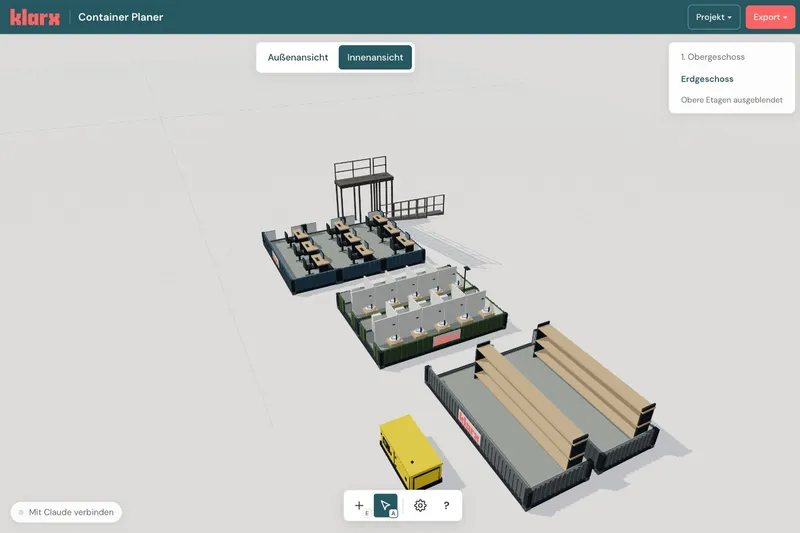
Toggle floors on and off individually and switch to interior view: desks, kitchens, sanitary facilities and shelving are already set up.
Export as PDF
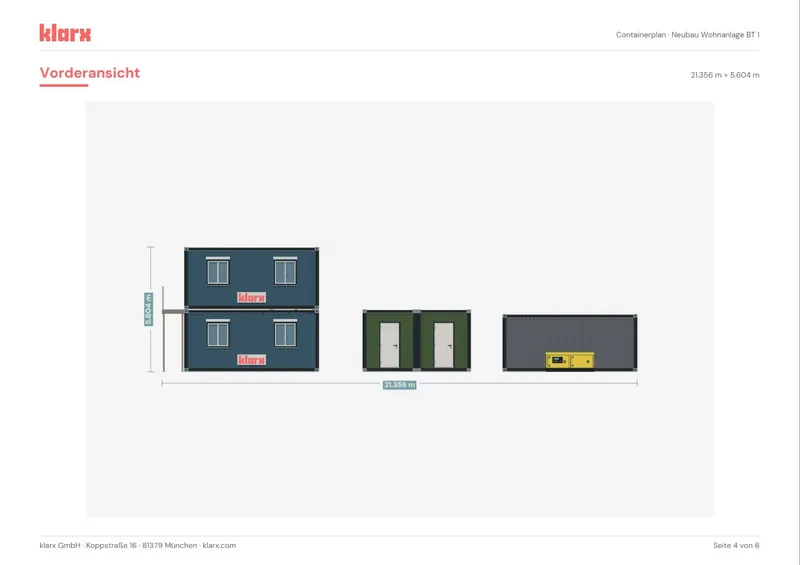
A PDF with overview, floor plan, views and bill of materials for your specification or coordination. Save your project as a file and load it again later.
With Your AI Agent
Your AI agent plans via a local MCP server: add site plan, place system, make changes by sentence. The integration is still experimental.
Rental Request via the klarx MCP
Once the klarx MCP server is connected, your AI agent creates the rental request with all positions directly at klarx. You confirm before sending.
From Site Plan to Rental Request in Your AI Agent
- Upload site plan – Give your agent the site plan or sketch and describe what you need: offices, sanitary facilities, storage, power.
- Agent plans – It places the plan to scale, positions containers from the klarx catalog into the marked area and checks the result in top view and 3D.
- Change by sentence – "We're 30 people, please add showers." Every change appears live in the planner and can be undone.
- PDF and rental request – The agent exports the PDF and creates the rental request with all line items via the klarx MCP server. You confirm before sending.
The integration is still experimental and runs via a local MCP server, for example with Claude Desktop or Claude Code. The web version of Claude is currently not supported.
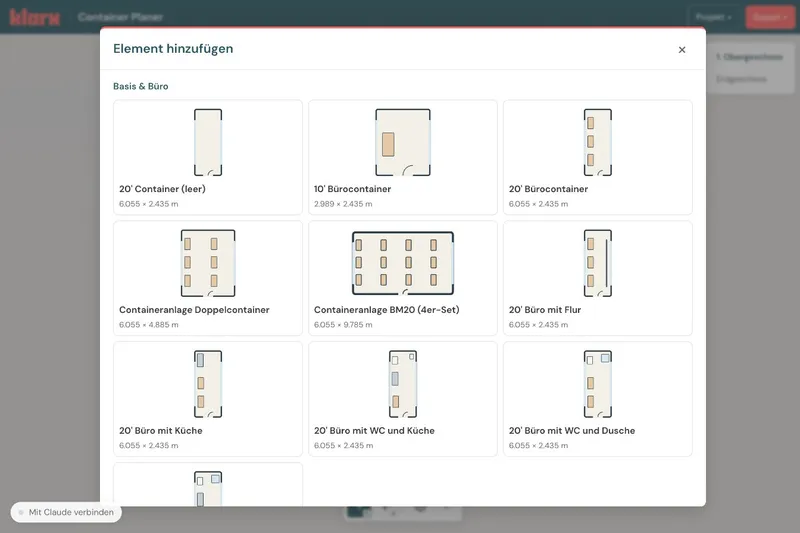
1. Add Elements
Click + below or press E. Select a container building or individual elements from the klarx catalog and place them on the area with a single click. Esc ends the adding process.
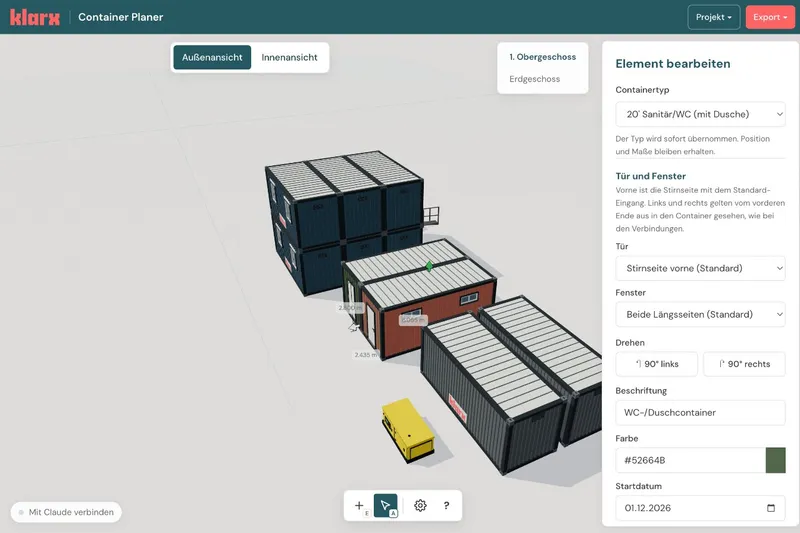
2. Select, Move, Edit
Use the arrow (A) to select an element and drag it to its position. The editing panel opens on the right: container type, door, window, rotation, label, color, and rental period.
- Shift + Click selects multiple elements, Shift + Drag draws a selection rectangle
- Arrow keys move, Shift + ← / → rotates by 90°
- Cmd/Ctrl + C / V copies and pastes, Delete removes
- Cmd/Ctrl + Z undoes, Cmd/Ctrl + Shift + Z redoes
3. Camera and Views
Drag on empty space to rotate the view, use the mouse wheel to zoom. Alt + Drag or the middle mouse button pans, F frames the selection or the entire plan. Switch between exterior and interior view at the top (I), hide the upper floor in the top right.
4. Project and PDF Export
Under Project, enter the construction site, address, customer, and rental period and save the plan as a file. Under Export, generate a PDF with overview, top view, elevations with dimensions, and parts list. All keyboard shortcuts are shown by ? in the toolbar.
Nothing. The planner runs free in your browser, and no login is required.
No. You plan entirely with your mouse and keyboard. With an AI agent it's faster: It builds the system from your site plan or description.
The planner works with Claude. The integration is still experimental and runs via a local MCP server on your computer, for example with Claude Desktop or Claude Code. The web version of Claude is not currently supported. Claude is a trademark of Anthropic PBC.
Click "Connect with Claude" in the bottom left of the planner, copy the prompt, and paste it into your agent. It will set up the local MCP server. After the initial setup, restart your agent once.
The klarx catalog: office, sanitary, toilet, and storage containers in 10 and 20 feet, double containers and 4-unit systems, stairs, stair towers, platforms, wastewater tanks, diesel tanks, and generators. Existing buildings or obstacles can be drawn in as free elements.
Yes. In the interior view you see the fixtures: offices with desks, kitchens, toilets, showers, and storage racks. Office containers come in variants with hallway, kitchen, toilet, or shower.
A PDF with overview, floor plan, front and side views, and bill of materials. You save the plan itself via "Save Project" as a file and load it again later.
Book a discovery call with our experts
Want to get to know klarx and find out how you can reduce cost and complexity around construction equipment procurement? Interested in using our software or mobile app to source construction equipment fully digitally, 24/7? Request your personal discovery call today.
Request a discovery call
This page was automatically translated from German.