In the Video: From Site Plan to Rental Request
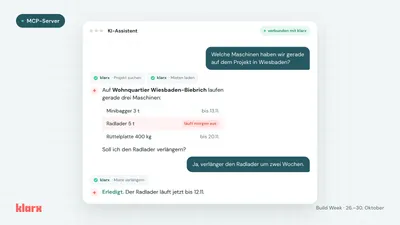
In 43 seconds, the video shows the entire process: upload site plan, plan facility, make changes by sentence, export PDF, and request rental.
The klarx Container Planner
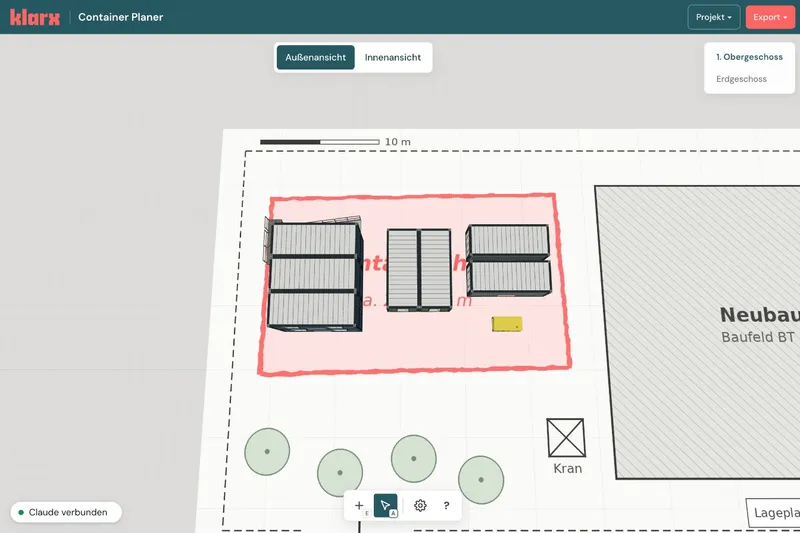
In the container planner, you assemble your facility to scale in 3D. Free and without login.
- Easy with your mouse: Place containers, move, rotate, and stack them. The dimensions are accurate, and you see collisions immediately.
- Knows the klarx catalog: Office, sanitary, WC and storage containers, double containers, 4-unit systems, stairs, platforms, tanks, and power generators.
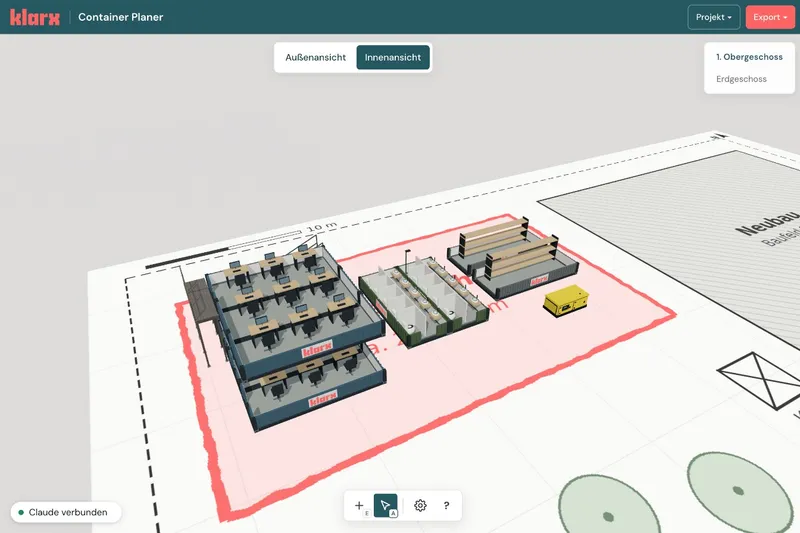
- Exterior and interior views: Hide upper floors, switch to interior view, and check whether desks, kitchens, sanitary facilities, and shelves fit.
- Export as PDF: Overview, floor plan, views, and bill of materials for your BOQ or team coordination.
With Your AI Agent: From Site Plan to Facility
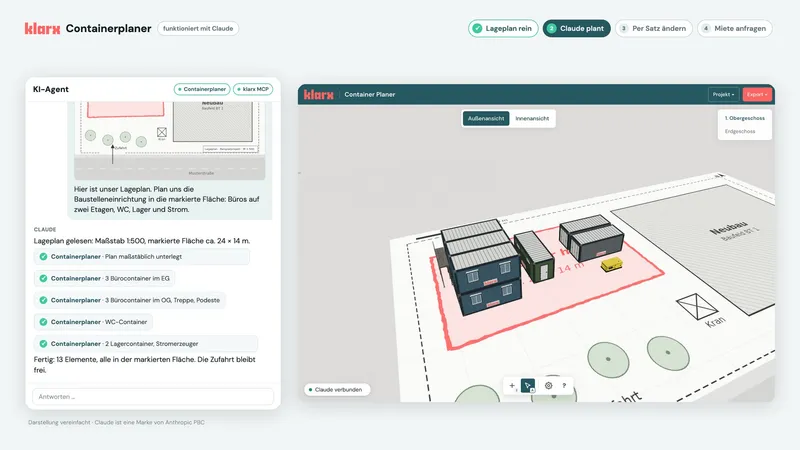
It becomes really fast with an AI agent. The container planner works with Claude: the agent sees what's in the planner and places the containers itself. Every change appears live in your browser. The integration is still experimental and runs via a local MCP server, for example with Claude Desktop or Claude Code. The web version of Claude is currently not supported.
Here's what it looks like in practice:
- Upload site plan: You give Claude your site plan and write what you need. For example: offices on two floors, WC, storage, and power in the marked area.
- Claude plans: Claude reads the scale, places the plan to scale in the planner, and positions the facility in the marked area. Then Claude reviews the result in floor plan and 3D views.
- Change by sentence: "We're more like 30 people, please add showers." Claude adds a WC/shower container right next to the WC.
- PDF and rental request: Claude exports the PDF and creates the rental request with all items via the klarx MCP server directly in your agent. You confirm before sending.
From Planning to Rental
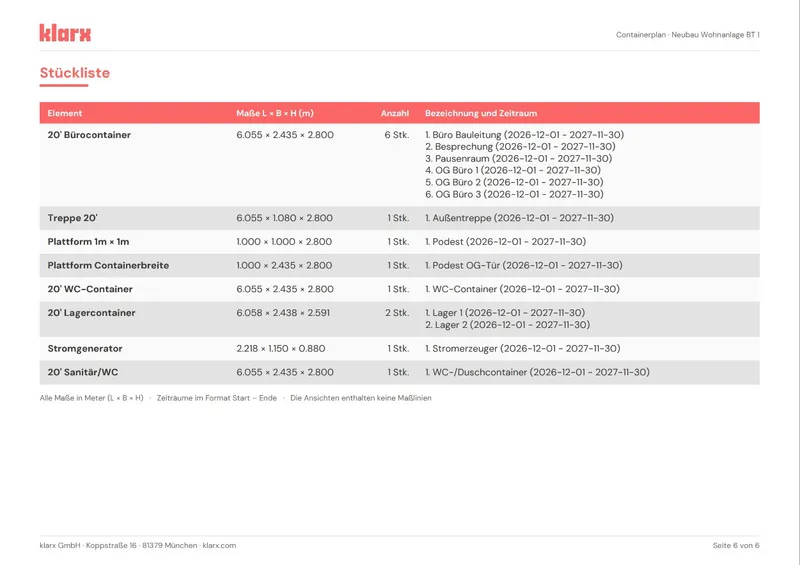
The PDF export summarizes your planning: overview with construction site and rental period, floor plan and views with dimensions, and a bill of materials with all elements. With this, you go to the BOQ or coordinate with project management and procurement. With the klarx MCP server, which we introduced yesterday, your agent can request the rental directly.
Try It Out
Open the klarx Container Planner and plan your next facility. If you have any questions, your contact person at klarx is happy to help.
Claude is a brand of Anthropic PBC.
Empowering the future of construction.