Manage Active Rentals
Keep track of active rentals, extend or release machines, report damage, and access documents.
On this page
In klarxMANAGER you can see all active rentals for your projects. From here you can extend machines or release them, report damage, and access all documents related to your rentals.
Documents and Notifications
Invoices, return protocols, and damage reports are centrally available in klarxMANAGER. You automatically receive SMS notifications for your orders so you know when your machine will be delivered. Which documents someone can see depends on their user role.
Extend or Release Machines
Shortly before the rental ends, the on-site contact receives an SMS with a direct link to the process. Alternatively, you can log into klarxMANAGER at any time and start the process via the respective rental order.
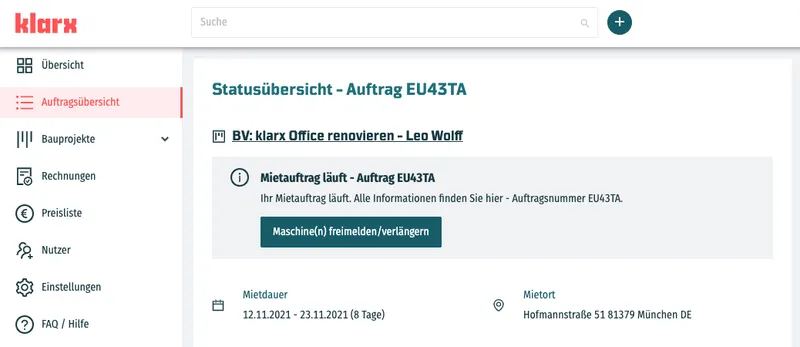
Extend your machines or release them in three steps:
- Select machines: Choose your machines from the list and decide whether to release them or extend the rental.
- Set the timeframe: Specify until when you want to extend the machines or from when you no longer need them.
- Confirm: Double-check that everything is correct and confirm.
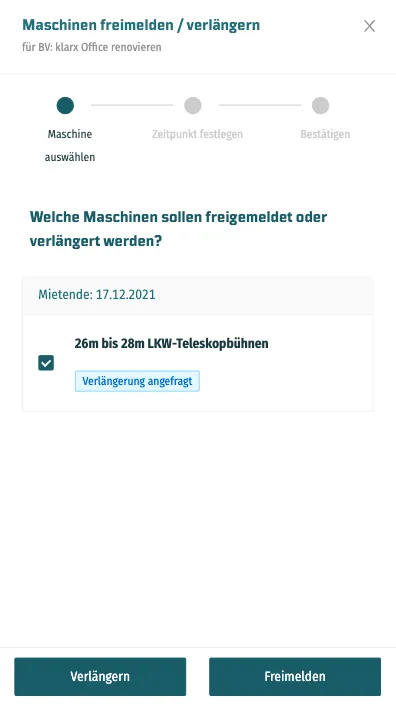
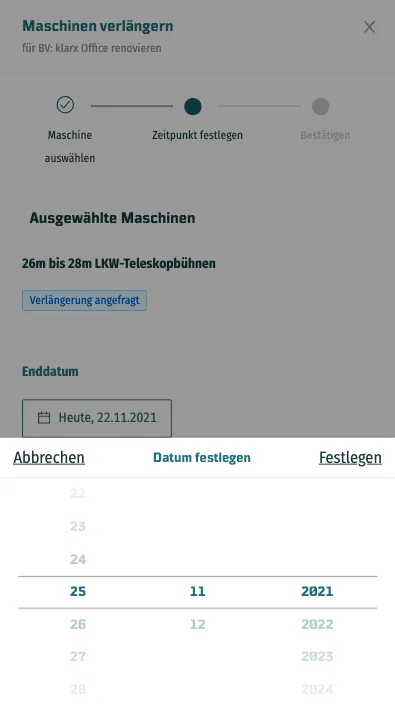
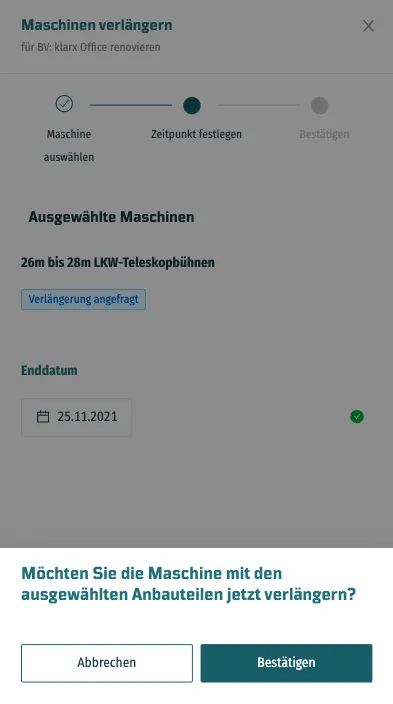
After release, we arrange the return transport. For information about returns, see Delivery, Pickup and Returns.
Report Damage and Cancel Rentals
Admins, project managers, and project members can report damage directly in the rental order and cancel rental orders for their assigned projects. Please also report any damage to klarx immediately.
Frequently asked questions
In klarxMANAGER under your rentals. Accounting can see invoices for all projects, project members can see invoices for their assigned projects.
No. The link in the SMS takes you directly to the process without an app or login credentials.