Rent machines in klarxMANAGER
In four steps to a rental request: address, machines, delivery, overview. Book guaranteed available machines instantly.
On this page
A rental request in klarxMANAGER has four steps: address entry, machine selection, delivery information and final overview. For what applies contractually after that, read Renting with klarx.
1. Address Entry
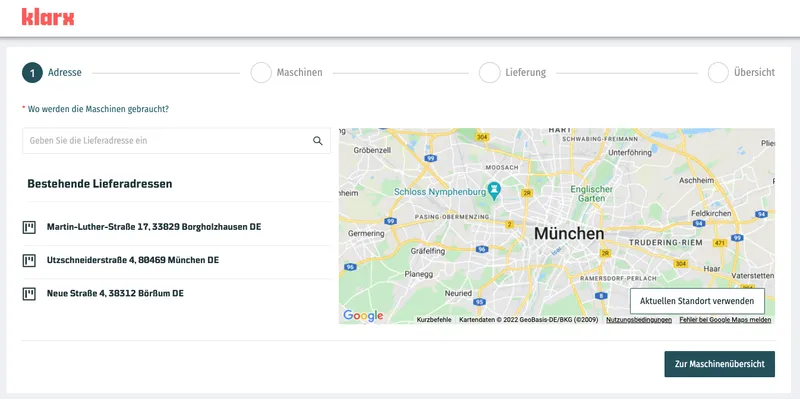
First, tell us where the machines are needed. Based on this information, we will show you the local availability of the machines in the next step.
When entering the address, you can search for addresses, choose from existing projects or use your current location.
2. Machine Selection
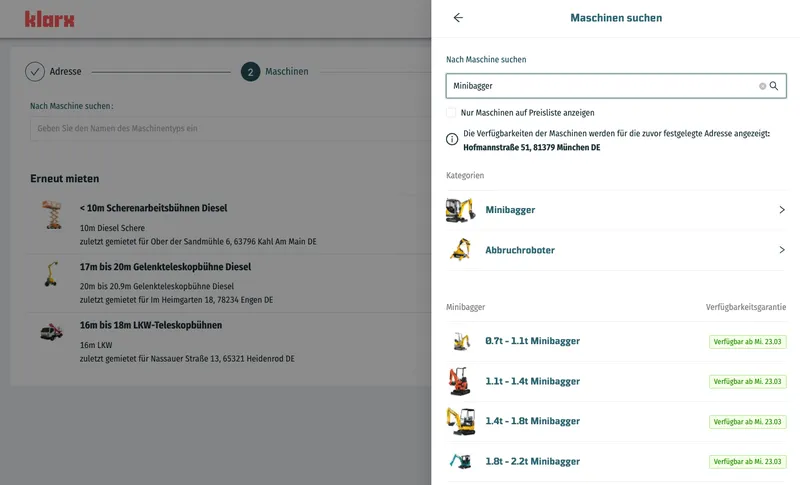
To find the right machines, choose from your most frequently rented machines or search the rental catalog. All project members can see your frequently rented machines, so your team submits requests faster.
You can also display only machines from the price list.
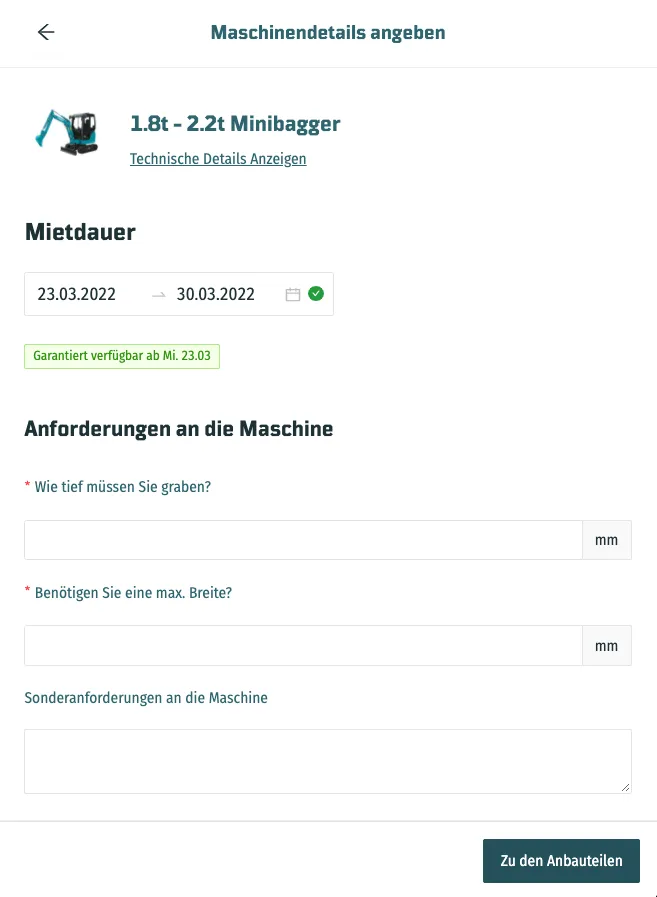
After selection, you can provide us with further specifications for the machines, view the technical details and select additional attachments.
Availability and Instant Booking
Even during selection, a traffic light system shows you which machine categories are available. You can book guaranteed available categories directly. For all others, our team will clarify availability and lead time and send you a quote.
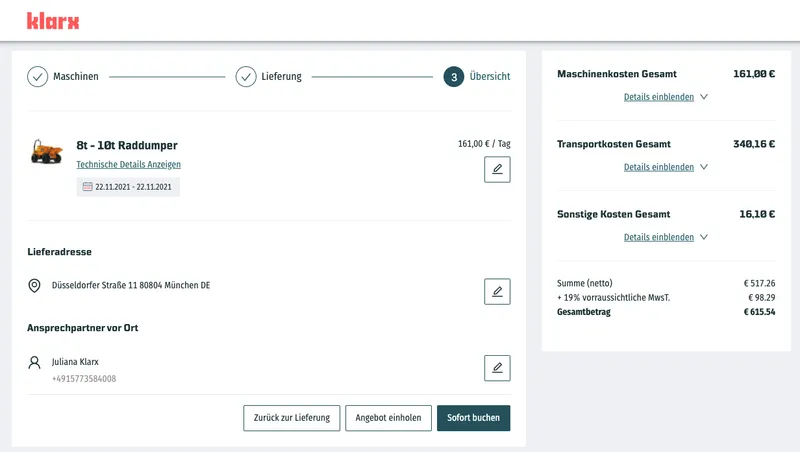
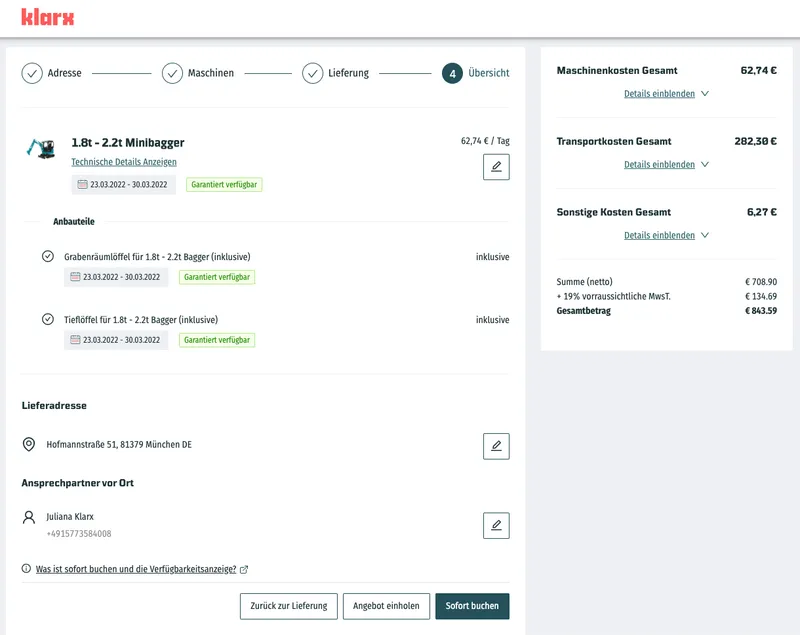
If everything is guaranteed to be available in the selected period, in the last step you choose the "Instant Booking" button instead of requesting a quote. You then book immediately and bindingly at the displayed prices and terms.
3. Delivery
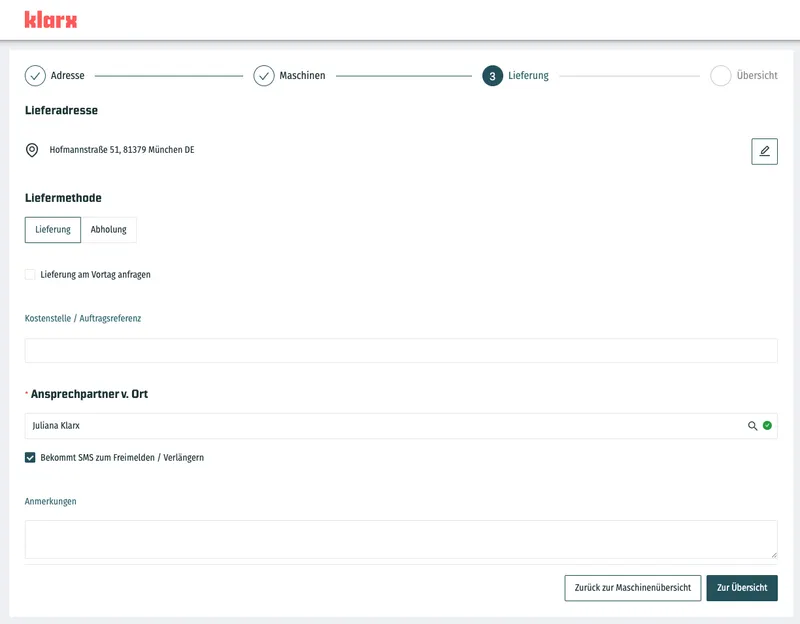
After machine selection, you provide information on the delivery method and contact persons. The on-site contact person is, for example, our first point of contact when it comes to delivery.
If you as a registered user are not authorized to confirm quotes subject to a fee, select an approver from your company with the appropriate rights in this step (see User Roles).
In this step, you also decide whether the contact person will receive a reminder SMS shortly before the rental ends to release or extend the rental.
4. Overview
In the last step, you review all information once more and complete the rental request. After that, we send you a quote. If the machines are guaranteed to be available, book directly with "Instant Booking" instead.
Frequently asked questions
They show which machine categories are guaranteed available and can be booked directly. For the remaining categories, our team will clarify availability and lead time for you.
Select an approver from your company in the "Delivery" step. They will release the booking.